Using the Platform
This guide walks through the main ways owners and admins use the platform— from collecting ideas to sharing wins across the network.
Quick start for owners
Follow these steps to get value from the platform in your first week.
- 1. Add your locations.
- 2. Share each location's submission link with staff.
- 3. Review submitted ideas.
- 4. Check Share to Network for ideas you want other owners to see.
- 5. Explore and discuss ideas on the Network Innovations page.
Start at the Dashboard
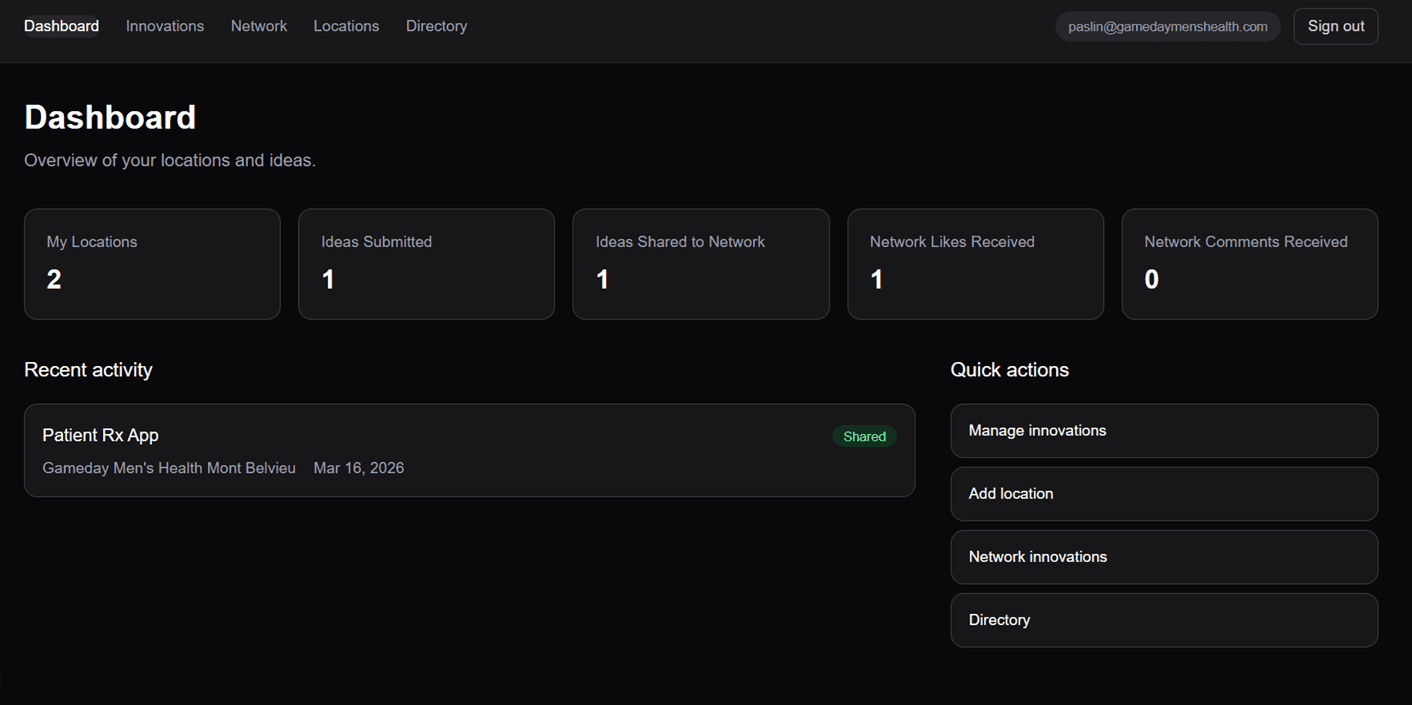
Use the Dashboard as your starting point. It gives you a quick overview of your locations, ideas submitted, ideas shared to the network, and recent activity.
This is the fastest way to see whether your team is submitting ideas and whether shared ideas are getting engagement.
Add and manage your locations
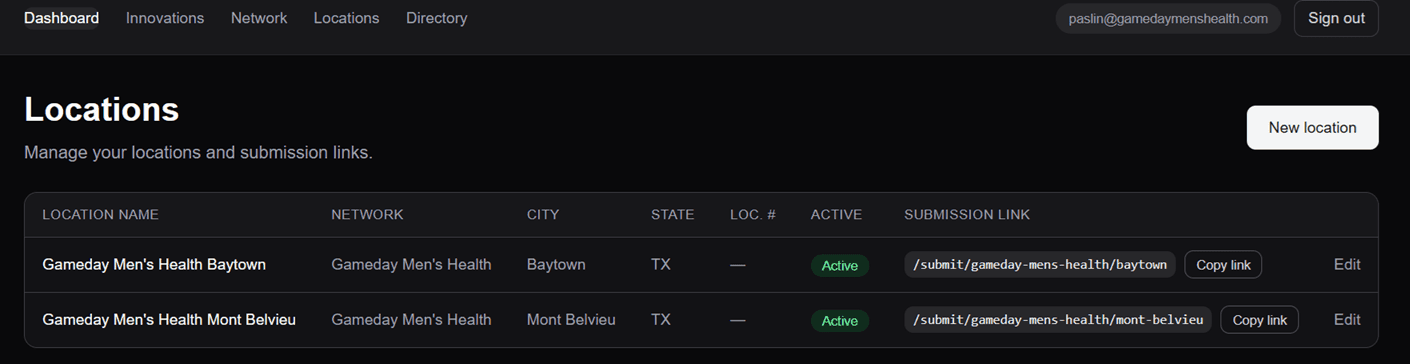
Start by adding all of your locations. Each location gets its own submission link, which appears on the right side of the Locations page.
Share the location-specific link with the staff at that location so their ideas are routed correctly.
Important
Each location has its own submission link. Copy and share the correct link with the staff for that location.
Share the submission link with your staff
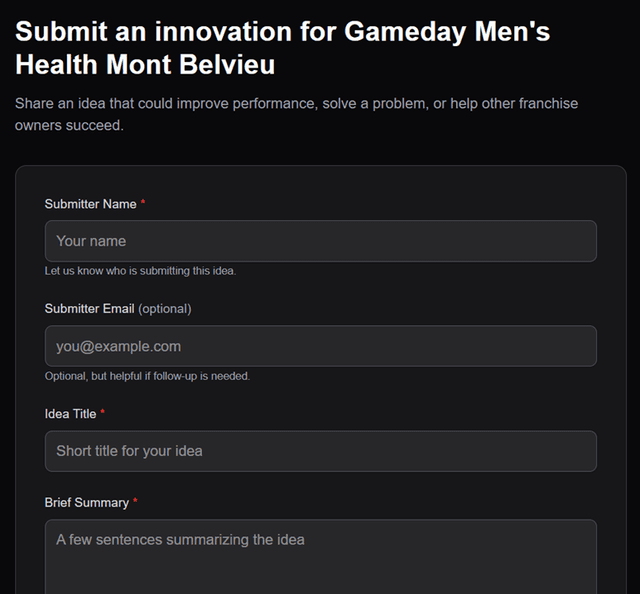
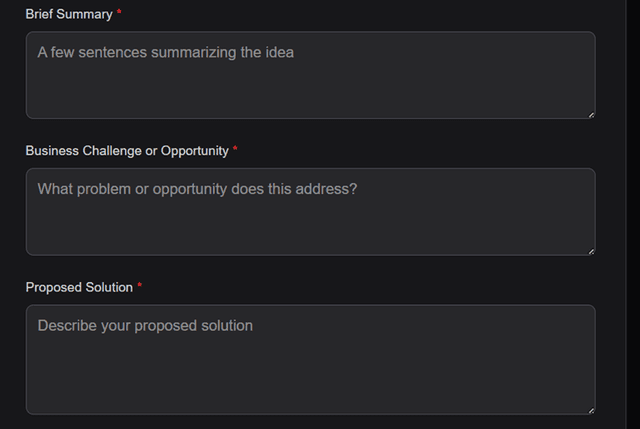
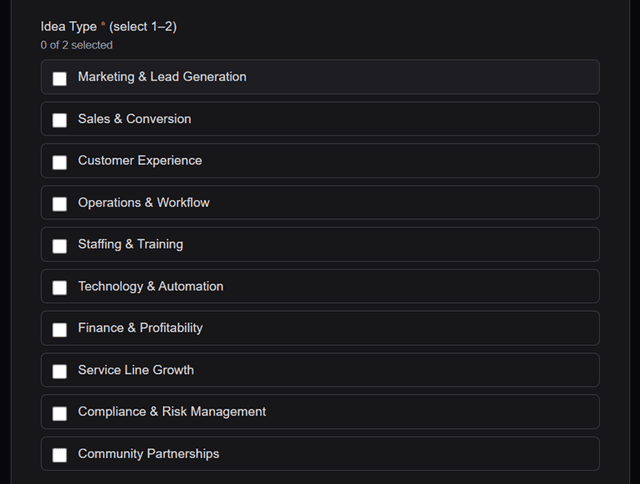
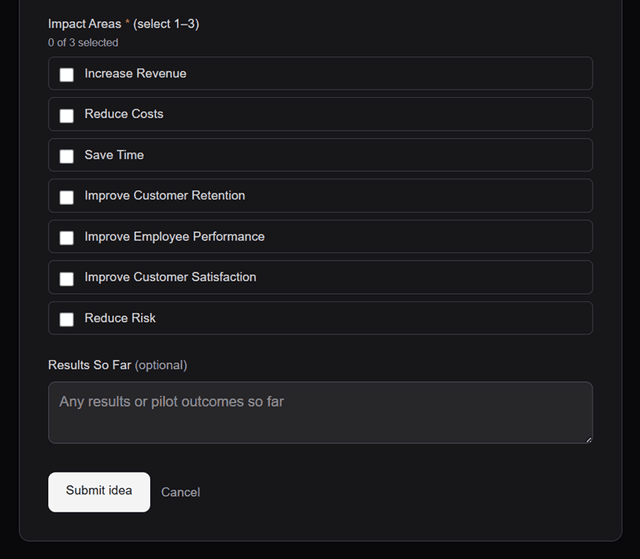
Your staff can use the location-specific link to submit ideas directly into the platform. They enter the basic idea details, then select the most relevant Idea Type and expected Impact Areas.
This helps organize ideas so they can be reviewed, searched, and filtered later without extra cleanup.
Idea Type
Idea Type helps categorize the idea so owners can quickly see whether it's about marketing, operations, staffing, or another theme.
Impact Areas
Impact Areas describe the type of result the idea could create—such as increased revenue, reduced costs, or time savings.
Review ideas in Innovations
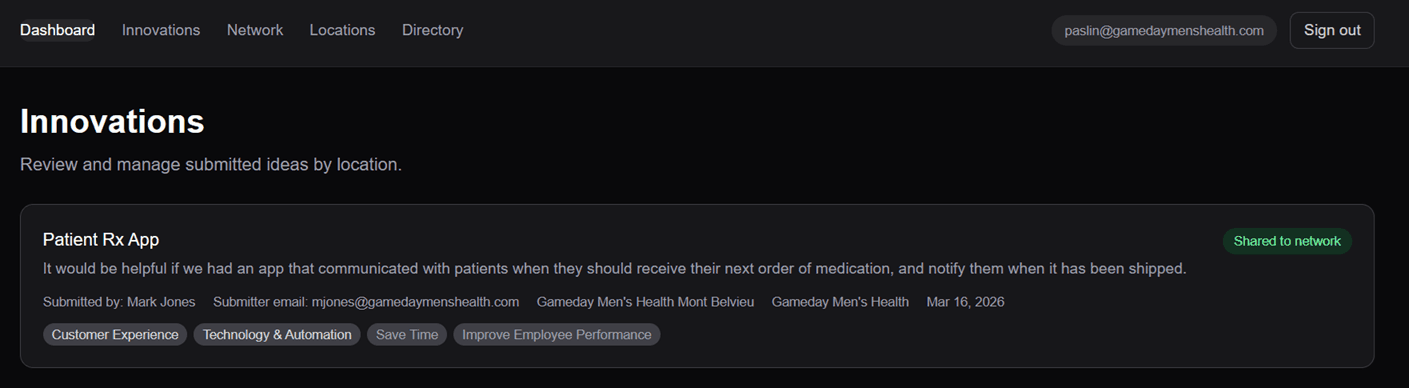
Once staff submit ideas, they appear on the Innovations page for that location or owner. This is where you review incoming ideas and see who submitted them.
Use this view to decide which ideas are ready for owner input, testing, and potential network sharing.
Add owner review details
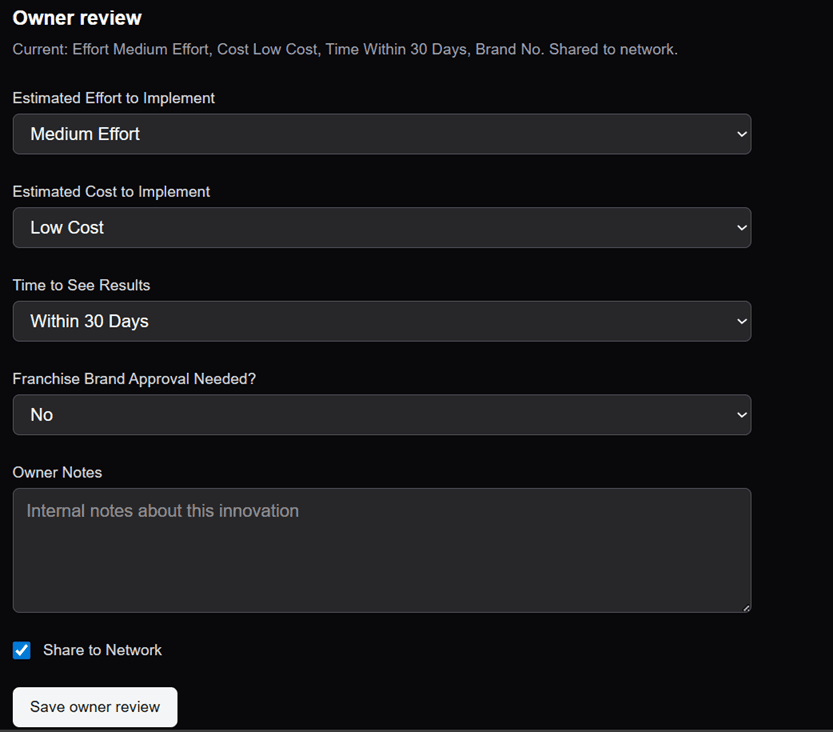
Open an idea from the Innovations page to complete the owner review. This is where you can add effort, cost, timing, notes, and any other owner-only details.
Capturing these details in a structured way makes it easier to compare ideas and decide which ones to roll out more broadly.
Important
To make the idea visible to other owners in the network, you must check the Share to Network box.
View ideas shared across the network
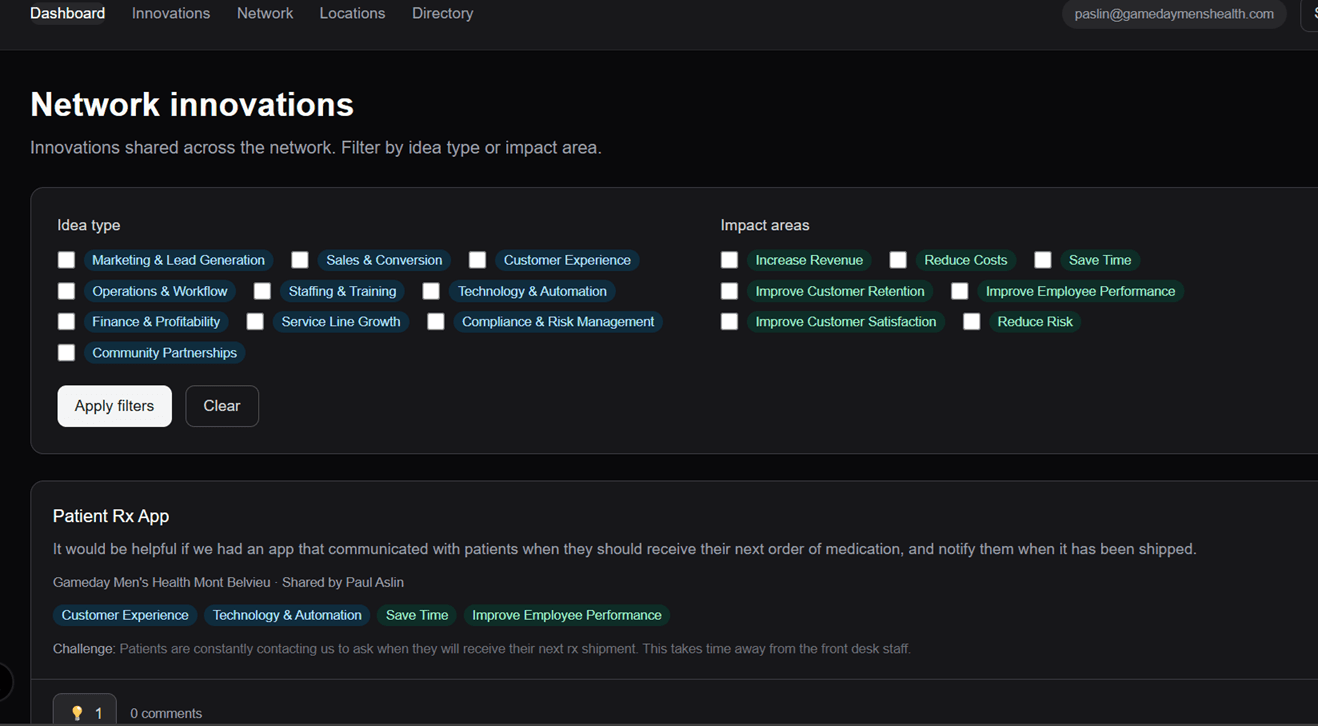
Once an idea is shared, it appears on the Network Innovations page where other owners can review it. This is your library of proven or promising ideas.
Owners can filter ideas by Idea Type and Impact Areas, and they can interact directly by liking ideas and posting comments.
Filter by category
Use the Idea Type and Impact Area filters to quickly find ideas that match the kind of result you're looking for.
Engage with owners
Owners can like and comment directly from the Network Innovations page to ask questions or share what happened when they tried the idea.
Connect with other owners in your network
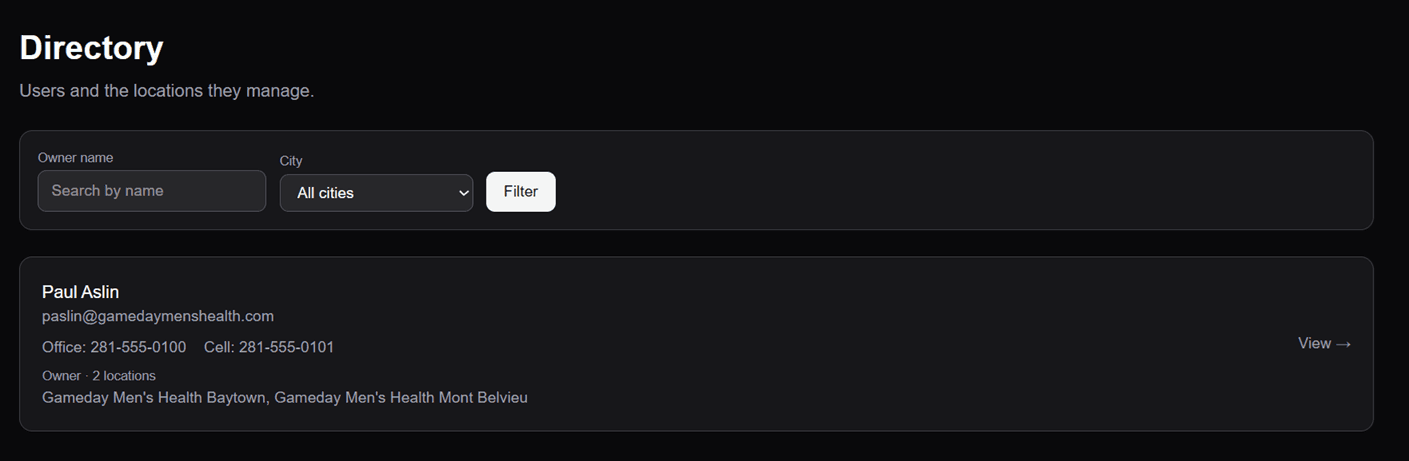
Use the Directory to find other owners in your network and see their locations and contact information. You can search by owner name or filter by city to quickly find the right person.
Important
The Directory gives owners a simple way to connect with peers across the network—something many franchise systems do not provide in one place.